Design Every Cabinet. Place It in Seconds.

ML Cabinets 3.2.0 is a professional SketchUp extension for creating, placing, editing, scheduling, and preparing parametric cabinet systems.

Dynamic Components are formula-driven SketchUp assemblies: configure kitchen runs, wardrobes, vanities, and retail fixtures in one guided dialog, then resize them without rebuilding every part.

14 days · SketchUp 2024–2026 · Windows and macOS

✓ SketchUp 2024–2026 ✓ Dynamic Components ✓ cm & inches ✓ Windows & Mac
7-tab dialog Dimensions, doors, drawers, panels, materials.
Live DC engine Resize once and every cabinet part follows.
Schedule ready Export cabinet data for pricing and production.

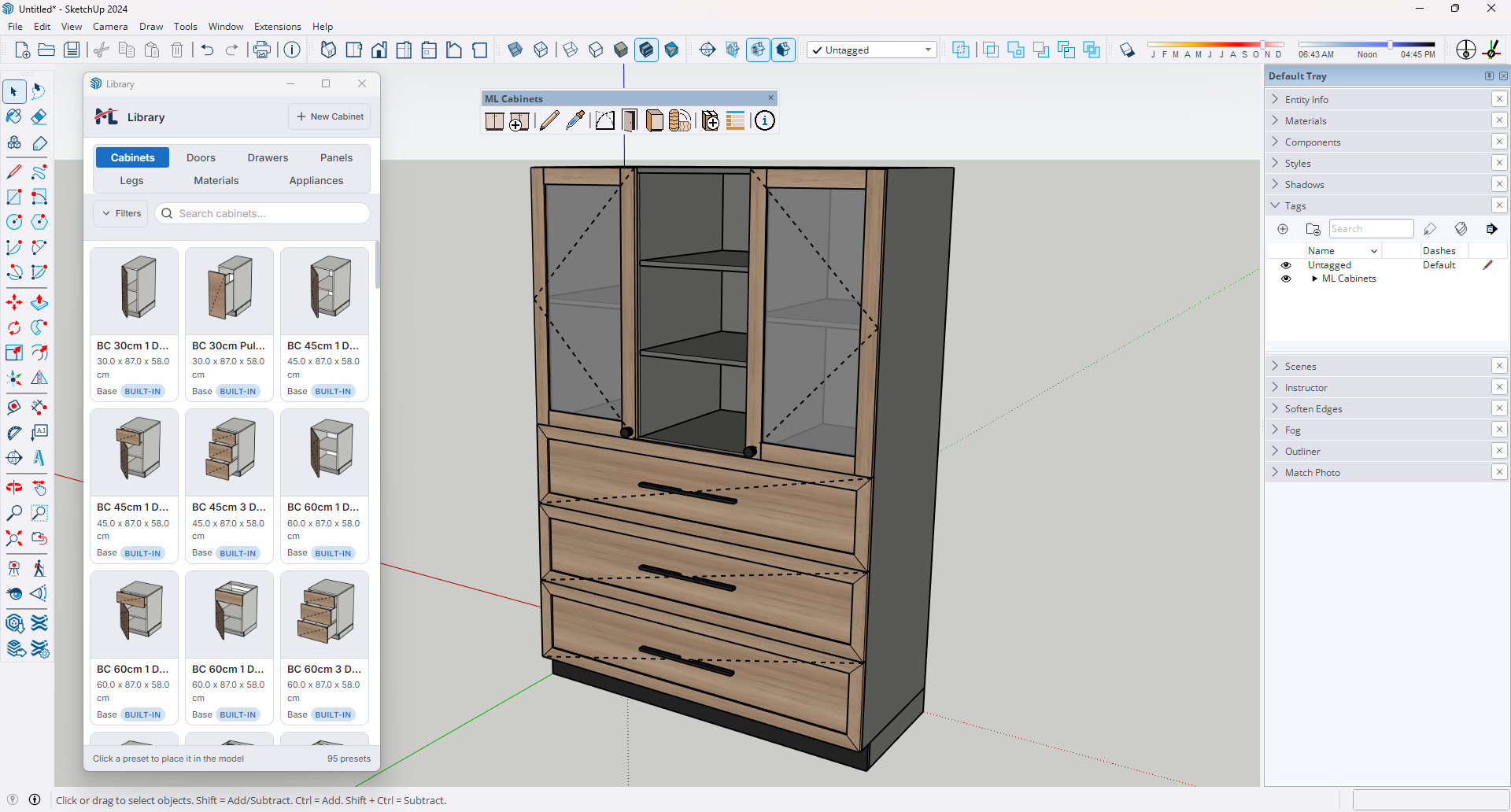
ML Cabinets live 3D preview showing a configured cabinet with materials and hardware
Design in minutes
Build with confidence

Current release

What's new in 3.2.0

Inner Drawers

Add, configure, and reorder cabinet-fixed Inner Drawers inside eligible hinged doors, double-door pairs, and regular drawers. Their hierarchy is retained through editing, libraries, schedules, and manufacturing preparation.

Read the complete 3.2.0 release notes

Recent release

Also added in 3.1.0

Set custom shelf spacing, create a two-panel Sliding Door, configure a four-leaf Bi-Fold Door, or use a two-leaf Lift Door that folds and opens upward.

Cabinet design shouldn't take all day.

Pain Today

  • Positioning panels by hand — measuring, nudging, redoing.
  • Rebuilding a cabinet from scratch every time dimensions change.
  • Guessing material combinations before it's too late to change.

ML Cabinets Fix

  • One seven-tab dialog — configure every dimension, finish, and hardware choice in under two minutes.
  • Live Dynamic Components — resize the cabinet root and every panel, shelf, and drawer box updates instantly.
  • Interactive PBR preview in the dialog — PBR (physically based rendering) responds to materials and lighting so you can inspect handles and door proportions before placing an object.

Everything you need. Nothing you don't.

Core capabilities built for production furniture workflows in SketchUp.

Seven Cabinet Types

Base, Wall, Tall, High, Corner (L-shaped and blind), and Filler — each pre-loaded with correct defaults for dimensions, construction, and interior layout. One dropdown, everything ready.

Fully Parametric DCs

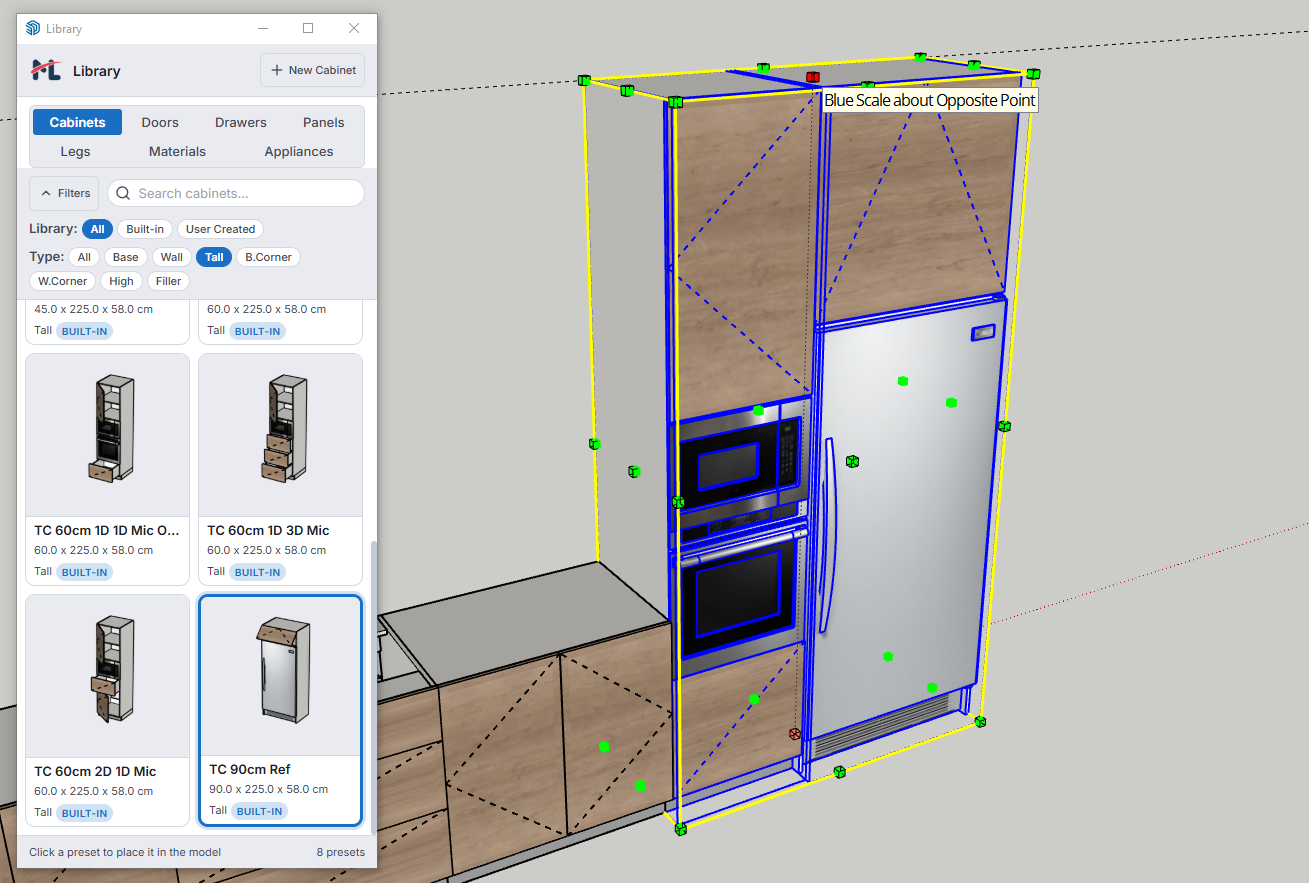
Every panel, shelf, and drawer box is formula-driven. Scale the cabinet with SketchUp's Scale tool and every sub-component snaps to the new size while thicknesses stay accurate.

Live 3D Preview

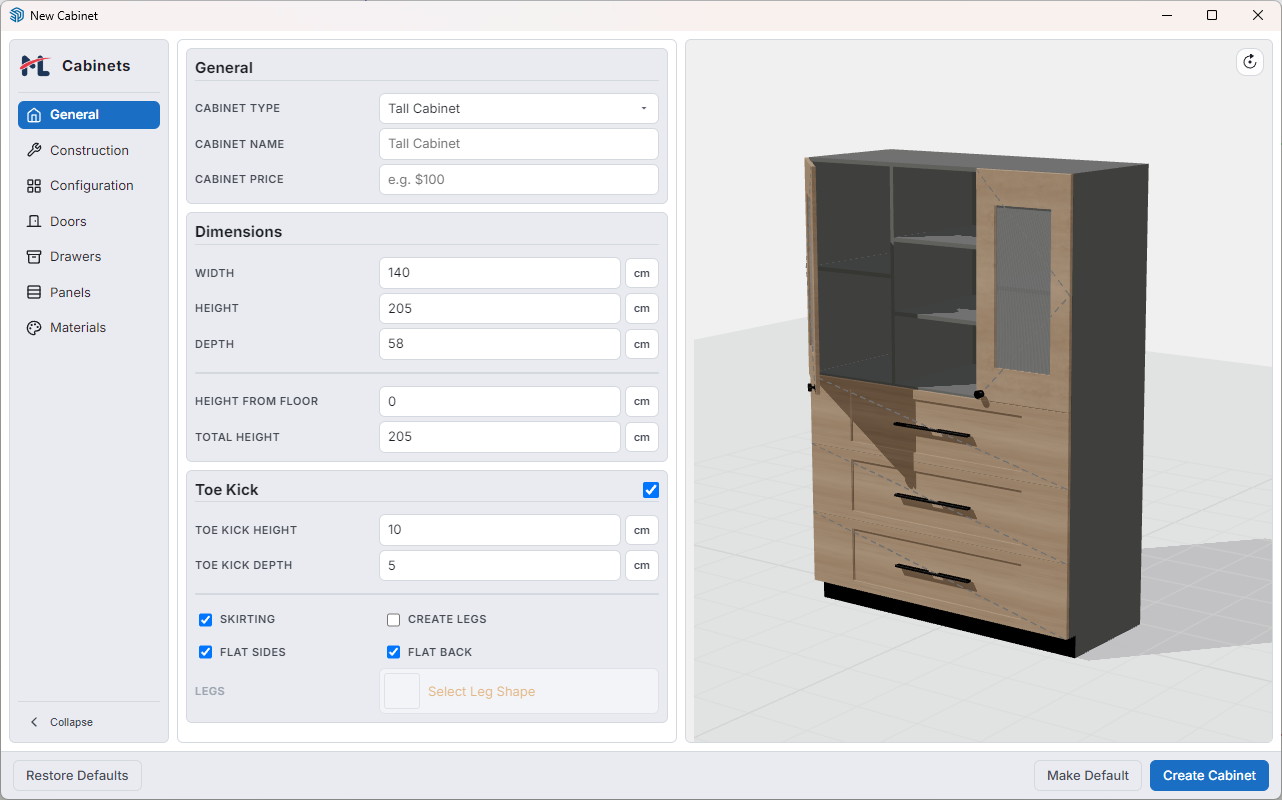
The interactive PBR preview is orbitable and updates in real time as you configure materials, handles, interior zones, and open or closed door states before you click Create.

Drag-and-Drop Interior

Build interior structure by dragging groups and items into position. Automatic dividers handle routine structural panels so your list stays focused.

Asset Library

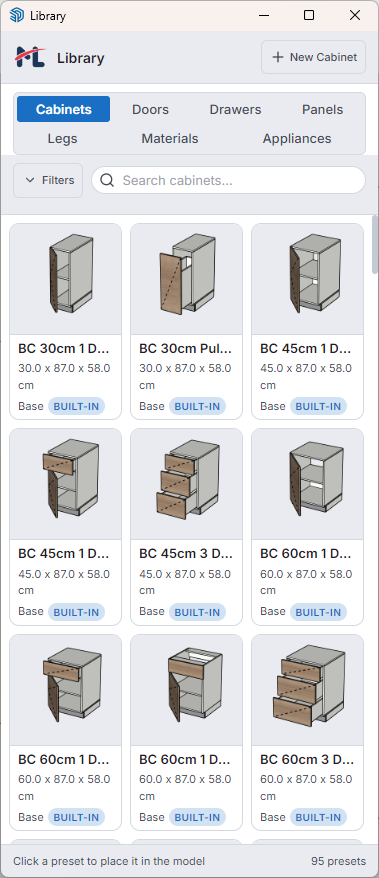
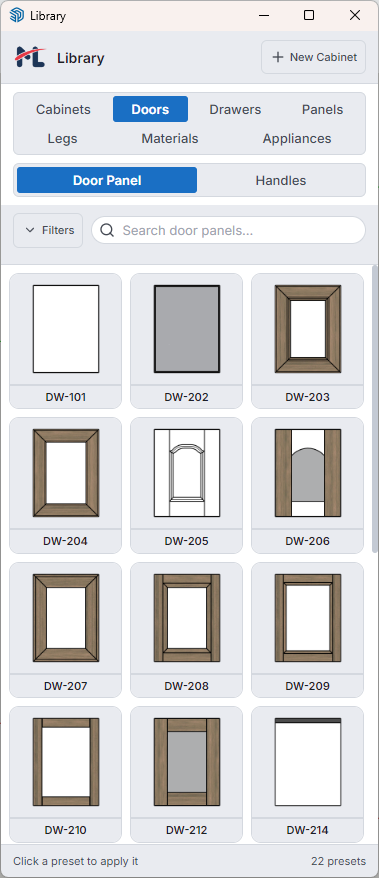
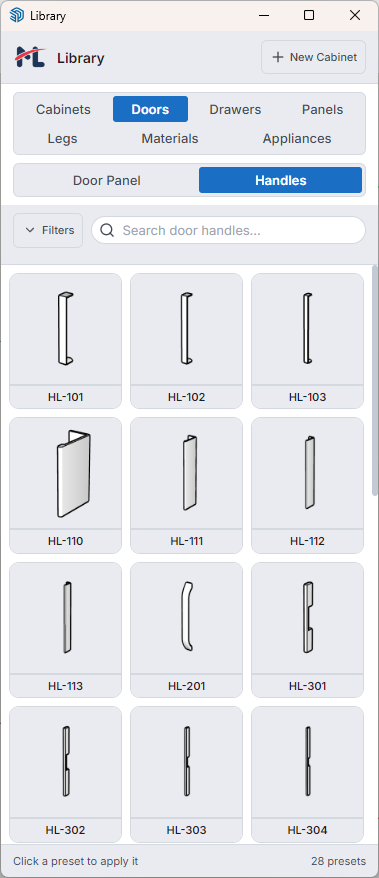
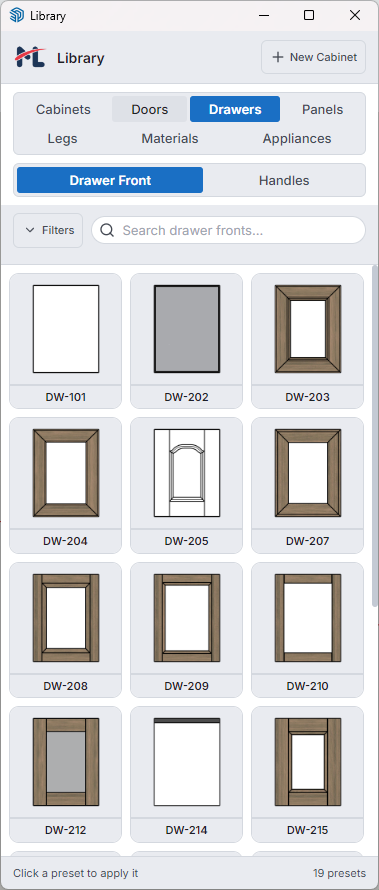
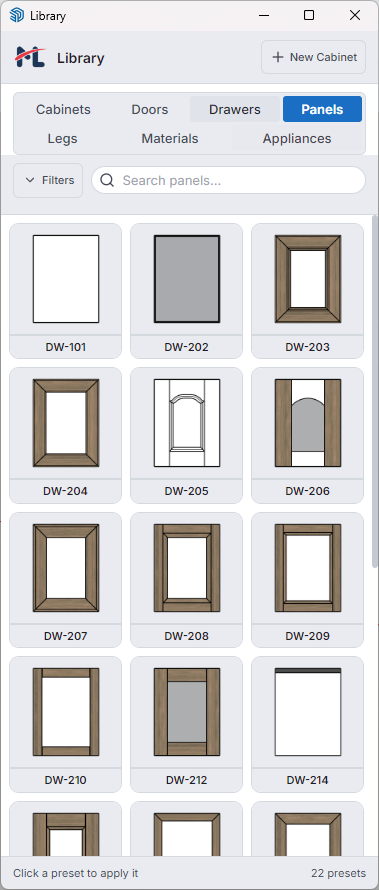
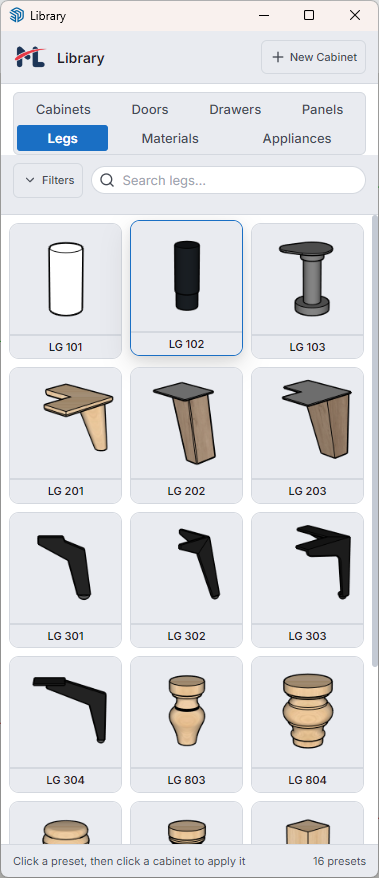
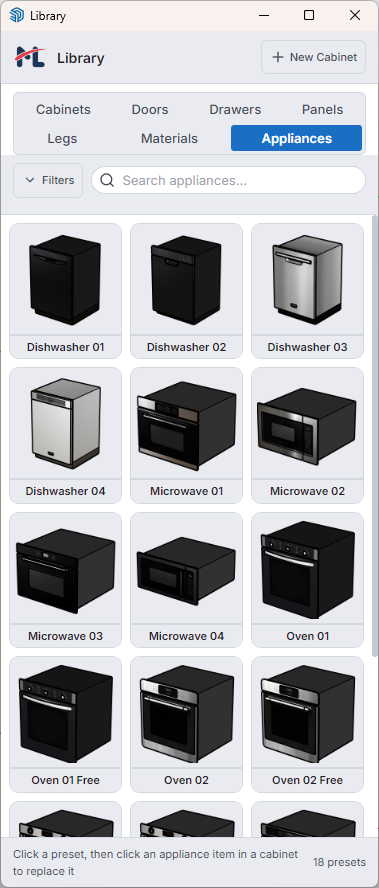
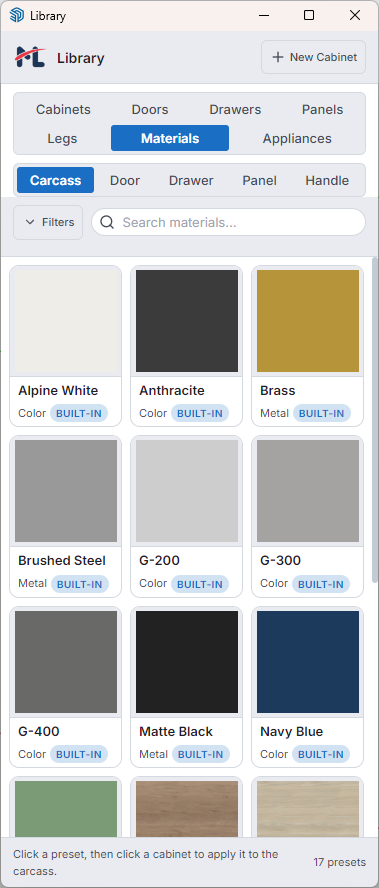
Browse, place, and apply custom legs, profiles, door panels, drawer fronts, handles, appliances, and materials. Saved assets are available in every future project.

Cabinet Schedule

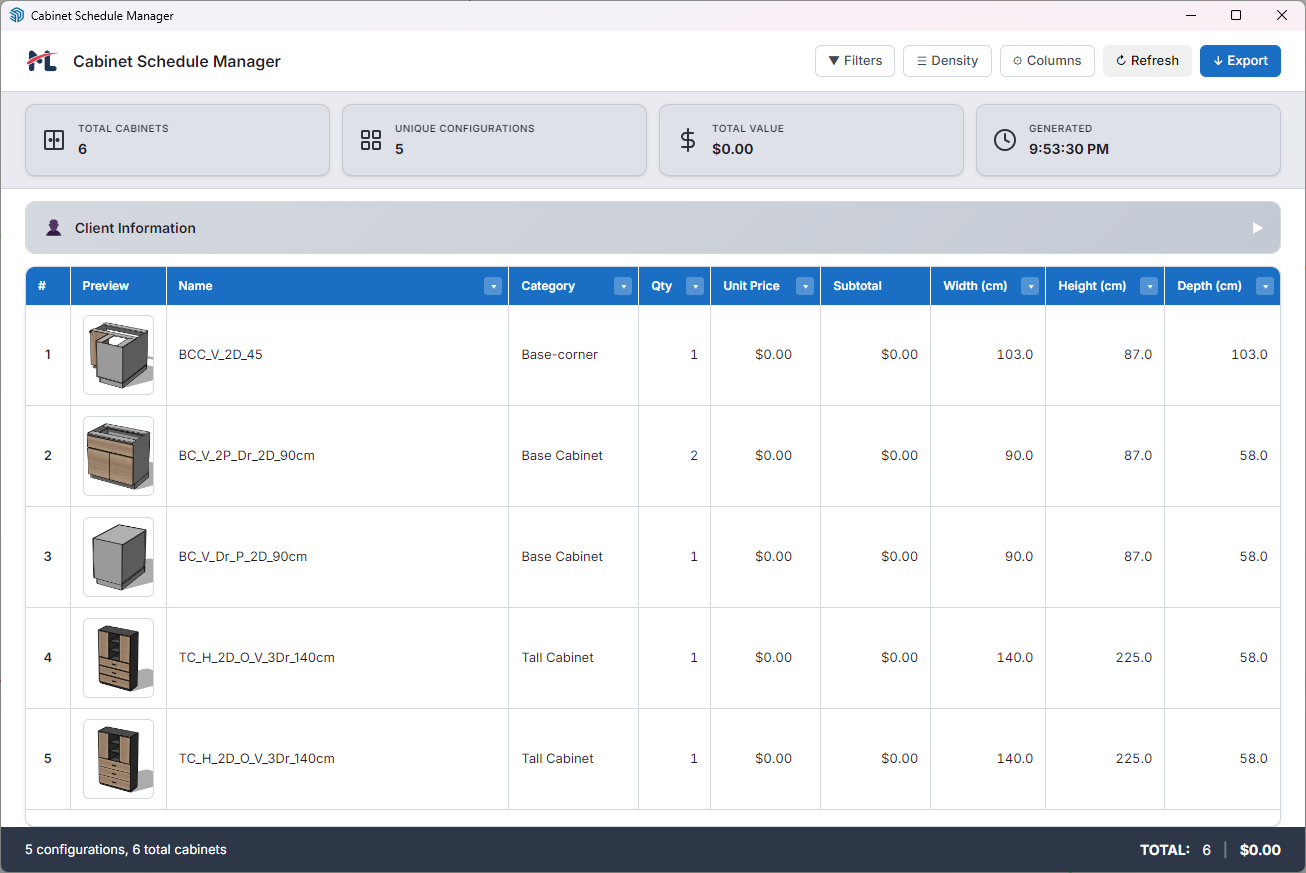
Track every cabinet in your model with type, code, dimensions, quantity, and price. Filter instantly and export to CSV or HTML reports in one click.

Style Picker

Copy any combination of material, handle, overlay type, or construction settings from one cabinet and paste onto one or many others with a click.

cm & Inches

The dialog reads the active SketchUp model unit and switches every input, step increment, and default value automatically. No manual conversion ever.

Open / Close Tool

Animate any door or drawer with a click using smooth ease-in and ease-out swing or slide behavior, with support for hinge types and persisted open states.

From concept to placed cabinet in three steps.

Configure, place, and iterate without breaking design momentum.

01

Configure

Open the New Cabinet dialog and set dimensions, construction, interior layout, materials, and hardware across seven tabs while the live preview updates in real time.

02

Place

Click Create and position a color-coded wireframe preview that snaps to SketchUp inferences. Adjust insertion corner, vertical anchor, and rotation before clicking.

03

Iterate

The placed cabinet stays live as a Dynamic Component. Resize from scale handles or reopen Edit Cabinet with every setting pre-populated.

ML Cabinets toolbar showing all available tools

Watch ML Cabinets in action.

Fresh tutorials and product walkthroughs from Mostafa Lamey's YouTube channel.

Visit YouTube Channel
Thumbnail for Build Your Asset Library in ML Cabinets
May 2, 2026

Build Your Asset Library

Save and reuse custom presets, materials, handles, legs, and appliances.

Thumbnail for The Asset Library - Browse, Place, And Restyle Cabinets In Seconds
May 1, 2026

The Asset Library

Browse, place, and restyle cabinets through the library tabs.

Thumbnail for How To Use ML Cabinets New Cabinet Dialog To Craft The Perfect Cabinet
Apr 30, 2026

New Cabinet Dialog

Walk through General, Construction, Configuration, Doors, Drawers, Panels, and Materials.

Thumbnail for Design a Full Kitchen in 15 Minutes with ML Cabinets
Apr 29, 2026

15-minute kitchen run

From empty SketchUp room to complete cabinet schedule.

Feature Deep-Dive

The tools behind faster and more reliable cabinet production.

New Cabinet dialog showing seven-tab configuration panel with General tab active

Seven tabs. Complete control. Two minutes.

A seven-tab panel gives complete control over cabinet type, dimensions, construction method, interior layout, materials, and hardware before a single object is placed. Every form field auto-saves while tab switching stays smooth and instant.

Learn more ↓
Dynamic Component scaling — cabinet resizes while panels maintain thickness

Resize once. Everything updates.

Every sub-component — panels, toe kick, groups, items, shelves, and drawer boxes — is driven by formulas chained to the root cabinet dimensions. Edit any cabinet in-place or use Bulk Edit to update multiple cabinets simultaneously.

Learn more ↓
Asset Library — Cabinets tab Asset Library — Door panels tab Asset Library — Door handles tab Asset Library — Drawer fronts tab Asset Library — Panels tab Asset Library — Legs tab Asset Library — Appliances tab Asset Library — Materials tab

Build once. Reuse everywhere.

Save any leg, profile, door panel, drawer front, handle, appliance, or material texture directly from your SketchUp model. Presets appear immediately in the New Cabinet dialog and stay available in future projects.

Learn more ↓
Cabinet Schedule Manager showing sortable table with thumbnails and pricing

From 3D model to costed schedule instantly.

The Schedule Manager scans the entire model and displays cabinet type, code, dimensions, quantity, and unit price in a live filterable table. Edit prices inline, record client info, then export CSV or formatted HTML in one click.

Learn more ↓

Simple pricing. No subscription.

Choose the license that fits your workflow.

Free Trial

$0
  • 14-day full access
  • All features included
  • 49 bundled library items
  • SketchUp 2024–2026 on Windows and macOS
Start the 14-day free trial

14 days · SketchUp 2024–2026 · Windows and macOS

Education

$29 / 6 months
  • 6-month license
  • 114 bundled library items
  • All updates released during the active six-month term
  • Up to 2 machines per license
Get Education

Purchases and license keys are delivered through Gumroad. Activation is managed by ML Extensions and supports up to two active machines per license.

Frequently asked questions

Which SketchUp versions are supported?

SketchUp 2024–2026 on Windows and macOS.

Does it work with imperial units?

Yes. The dialog detects your model unit system and switches all inputs to inches automatically. No manual conversion needed.

Can I save my own door panels and handles?

Yes. Add to Library saves any component from your model as a preset — doors, handles, panels, legs, profiles, appliances, and materials — all available in future projects.

Will existing cabinets break if I update the extension?

No. Placed cabinets are self-contained Dynamic Components. Updates add features without altering existing geometry.

Is the 3D preview accurate?

Yes. The interactive PBR preview mirrors cabinet construction, materials, and hardware as you configure. You can orbit, zoom, and click doors to preview open states.

How does Cabinet Schedule export work?

Schedule Manager scans your model, lets you filter and edit prices inline, records client information, then exports CSV or formatted HTML in one click.

What is the Education license?

The Education license gives you a 6-month term with 114 bundled library items. It includes all updates released during the active six-month term; updates after expiry are not promised.

How many machines can I use per license?

Each license can be activated on up to 2 machines simultaneously.

Start designing better cabinets today.

Try ML Cabinets 3.2.0 in SketchUp 2024–2026 on Windows or macOS.

14 days · SketchUp 2024–2026 · Windows and macOS

Product information reviewed .