
Trial
Evaluate ML Doors
$0
- Separate Trial product on Gumroad
- Current limitations and terms are provided with the Trial listing
- Product questions can be checked through ML Extensions support
Professional door systems for SketchUp
ML Doors 2.3 is a professional SketchUp extension for creating, placing, customizing, animating, and scheduling complete architectural door systems.
Built for architects, interior designers, contractors, and BIM professionals who need editable openings and dependable door data in the same model.
$49 launch price · $79 regular price · one-time purchase
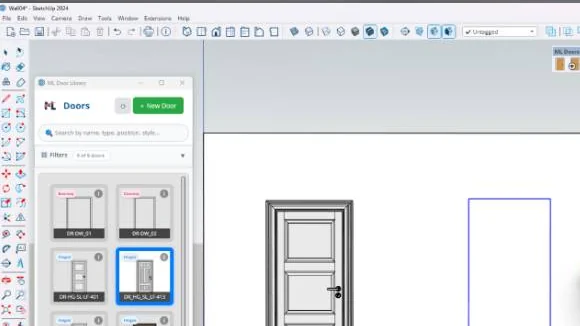
One connected workflow
Configure the assembly, place it in supported wall geometry, keep it editable, and carry its information into presentation and schedule work.
Build hinged single and double doors, sliding doors with multiple leaves, pocket doors, and doorway types as complete assemblies.
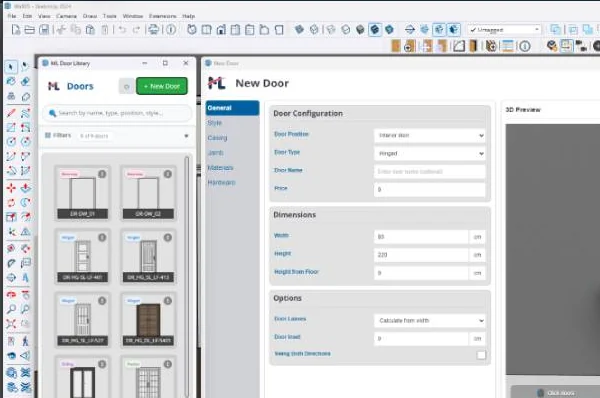
Use placement preview, supported wall cutting, movement and copy behavior, and restoration when a door is moved or removed.
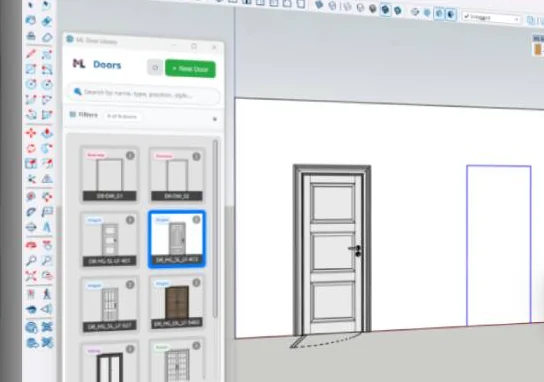
Combine leaves, jambs, casings, profiles, handles, hinges, glass, and 48 materials, then organize custom assembly libraries for reuse.
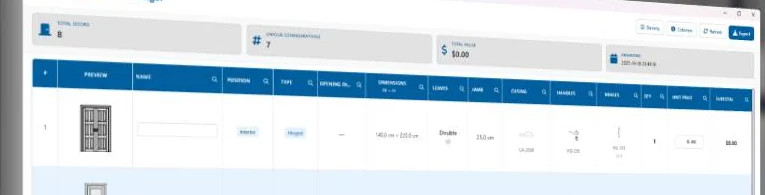
Review interactive animation and a Three.js preview, show plan symbols, then manage schedules with pricing, filtering, CSV export, and HTML export.
Verified product demo
This owner-published walkthrough shows ML Doors operating in SketchUp. The video loads from YouTube only after you choose Play.
Five steps
Each step keeps the door assembly tied to the model work that follows.
Select the system and set its assembly options.
Inspect the configured door before it enters the model.
Use the placement preview to establish the opening.
Revise the placed system as the design develops.
Organize door data for CSV or HTML output.
Choose your route
The comparison below stays limited to the commercial details currently verified on the public listings.
Trial
$0
Full
$49 launch price
Answers before checkout
Where a commercial or compatibility detail is not yet verified for publication, the answer points to support instead of guessing.
ML Doors creates hinged single and double doors, sliding systems with multiple leaves, pocket doors, and doorway types.
ML Doors provides placement preview, wall cutting for supported geometry, movement and copy handling, and restoration when a placed door is moved or removed. For a project-specific wall setup, check with support.
Yes. The assembly workflow covers leaves, panels, jambs, casings, profiles, handles, hinges, glass, materials, and user-created libraries.
The Schedule Data Manager supports schedule records, pricing, filtering, and CSV and HTML exports.
Compatibility details are not stated here until they are verified for this product. Ask ML Extensions support before purchasing if compatibility is critical to your workflow.
Use the current Gumroad Trial listing and license terms page for the published information, or contact support for a detail not shown there.
For current purchase details and product support, use the applicable Gumroad listing or the ML Extensions support route.
Build the opening once
Configure complete door assemblies, place them in context, and carry their information into schedules and exports.
Product information reviewed .